
What is a Semantic Layer? Definition & Examples
A semantic layer is a business logic abstraction that sits between your data warehouse and the applications that query it. It defines metrics, dimensions, and access rules in one place, so every tool, dashboard, and AI agent gets consistent answers. Without one, the same metric (say “revenue”) can return different numbers depending on who writes the SQL.
Think of it as a contract between your data team and everyone who consumes data. The data team defines what metrics mean. The semantic layer enforces those definitions at query time.
Why You Need a Semantic Layer
Consistent Metrics Across Every Surface
Your CEO looks at a dashboard and sees $2.3M revenue. Your VP of Sales queries the same warehouse in a spreadsheet and gets $2.1M. Both are “right” given their SQL. Neither matches the board deck.
A semantic layer defines revenue once. Every consumer that queries it, whether a dashboard, API, React component, or AI agent, gets the same number. The metric definition includes which tables, which filters, which aggregation. One source of truth, every surface.
Multi-Tenancy and Access Control
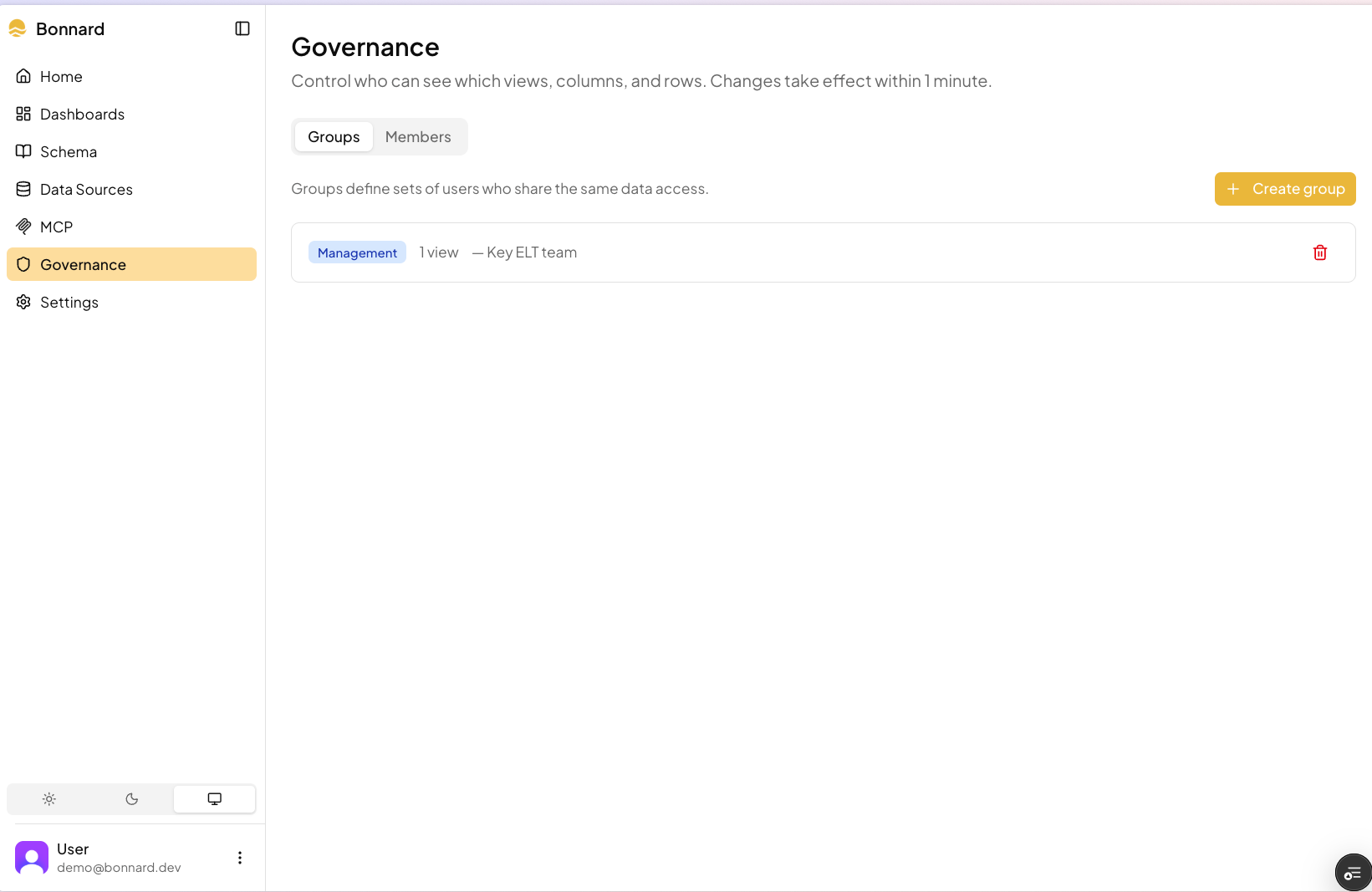
Row-level security configured in your schema. Tenant A only sees tenant A’s data. Marketing only sees marketing metrics. Token exchange maps your existing auth to the semantic layer’s security context.
This is critical for B2B products shipping analytics to customers. Each customer queries the same metric definitions but only sees their own data. No separate databases per tenant. No application-level filtering.
AI Agents That Don’t Hallucinate
Without a semantic layer, AI agents write SQL against raw tables. They guess at JOINs, invent aggregations, and confidently return wrong numbers. With a semantic layer, agents query defined metrics through MCP tools like explore_schema and query. They can’t hallucinate a metric that doesn’t exist.
Read more about agentic analytics and why governed metrics are the foundation for trustworthy AI-powered data access.
Caching and Pre-Aggregation
A semantic layer can materialize commonly-queried aggregations ahead of time. Instead of scanning your full orders table on every query, the pre-aggregation cache returns results in milliseconds. The pre-aggregation cache handles this, reducing warehouse load and query latency for both your internal team and your customers.
How a Semantic Layer Works
Cubes: Your Business Entities
A cube maps to a business concept: orders, customers, subscriptions. It defines the SQL source and exposes measures and dimensions.
cubes:
  - name: customers
    sql_table: public.customers

    measures:
      - name: total_count
        type: count
      - name: active_count
        type: count
        filters:
          - sql: "status = 'active'"

    dimensions:
      - name: plan
        sql: plan_name
        type: string
      - name: signed_up_at
        sql: created_at
        type: time
Measures: The Numbers That Matter
Measures are the calculations your business cares about. sum, count, avg, countDistinct, min, max. Each measure has an explicit SQL expression and aggregation type.
measures:
  - name: total_revenue
    sql: amount
    type: sum
  - name: average_order_value
    sql: amount
    type: avg
  - name: unique_customers
    sql: customer_id
    type: countDistinct
No ambiguity. total_revenue always means sum(amount). Not sum(amount) where status != 'refunded' in one dashboard and sum(amount) in another.
Dimensions: How You Slice Them
Dimensions are the axes you group by: time, geography, product category, customer segment. Types include string, number, time, and boolean.
dimensions:
  - name: country
    sql: billing_country
    type: string
  - name: order_month
    sql: created_at
    type: time
    granularity: month
  - name: is_enterprise
    sql: "plan_name IN ('enterprise', 'enterprise_plus')"
    type: boolean
Views: Curated Interfaces
Views expose subsets of cubes for specific use cases. Your marketing team gets a view with the metrics they need. Your AI agent gets a view scoped to customer-facing data. Same underlying definitions, different interfaces.
views:
  - name: marketing_metrics
    cubes:
      - join_path: orders
        includes:
          - total_revenue
          - count
          - status
      - join_path: customers
        includes:
          - total_count
          - plan
When AI agents call explore_schema via MCP, they see views first. Views are curated for analysis and preferable to querying raw cubes directly.
Every Surface, One Schema
The power of a semantic layer is that it decouples metric definitions from how they’re consumed. Define once, query from anywhere:
MCP for AI agents: Your customers connect Claude, Cursor, or any MCP-compatible tool to their data via publishable keys. Your internal team connects their AI tools directly. Every agent queries the same governed definitions.
React SDK for embedded analytics: BarChart, LineChart, BigValue, DashboardViewer, BonnardChart, and useBonnardQuery from @bonnard/react. Import DashboardViewer from @bonnard/react/dashboard to embed full markdown dashboards. BonnardChart is a universal renderer that takes a spec object and renders any chart type. Drop governed charts into your product. Style with CSS custom properties (--bon-bg, --bon-text, --bon-border, --bon-radius) and choose a built-in color palette (default, tableau, observable, metabase) or pass a custom array via the palette prop on BonnardProvider.
Markdown dashboards: Author dashboards in markdown, deploy with bon deploy. Access-controlled per tenant automatically.
TypeScript SDK: Type-safe queries from @bonnard/sdk. Build internal tools, data pipelines, or custom analytics.
REST API and SQL: For everything else.
One schema definition powers all of these. Change a metric in YAML, bon deploy, and every surface reflects the update.
Semantic Layer vs Metrics Store vs Data Catalog
| Semantic Layer | Metrics Store | Data Catalog | |
|---|---|---|---|
| Purpose | Define + serve + govern metrics | Define metrics | Document data assets |
| Query interface | MCP / API / SQL / SDK | API | Search / browse |
| Access control | Yes (row-level, RBAC) | Varies | Read-only |
| Multi-tenancy | Built-in | Rare | No |
| Caching | Yes (pre-aggregation) | Varies | No |
| AI-ready | Yes (via MCP) | Limited | No |
| Embedded analytics | Yes (React SDK, dashboards) | No | No |
| Examples | Bonnard, Cube, dbt Semantic Layer | dbt metrics, Transform | Atlan, DataHub |
A metrics store defines what metrics mean. A data catalog documents where data lives. A semantic layer does both and adds serving, caching, access control, multi-tenancy, and queryable interfaces for AI agents and applications. It’s the operational layer that actually delivers data to your customers.
Getting Started
npx @bonnard/cli init --self-hosted
docker compose up -d
bon deploy
Define your cubes and views in YAML. bon init generates agent configs (rules and skills for Claude Code, Cursor, and Codex) so AI coding assistants understand your semantic layer from the first prompt. Deploy with bon deploy. Use bon diff to preview changes before deploying, bon schema to explore deployed measures and dimensions, and bon pull to download deployed models locally. Connect AI agents with bon mcp, embed charts with the React SDK, or query via the TypeScript SDK. Import existing dbt models with bon datasource add --from-dbt.
Self-host for free (Apache 2.0) or use Bonnard Cloud for managed infrastructure. If your team needs hands-on help, our forward deployed engineers can work alongside you to ship it.
Read the documentation or view the source on GitHub.
Related reading
- How to Connect an AI Agent to Your Data Warehouse – 30-minute tutorial
- Bonnard vs Cube – how Bonnard extends the Cube engine
- Bonnard vs Looker – semantic layer comparison
- Cube vs dbt Semantic Layer – metrics layer comparison
FAQ
What’s the difference between a semantic layer and a database view?
A database view is SQL stored in the database. It has no caching, no multi-tenancy, no access control beyond database grants, and no queryable interfaces for AI agents or embedded analytics. A semantic layer adds all of these.
Can I use a semantic layer with dbt?
Yes. Bonnard integrates with dbt models. Run bon datasource add --from-dbt to import your schema and layer metrics on top.
Does Bonnard support Snowflake / BigQuery / Postgres?
Yes, all three plus Databricks, Redshift, DuckDB (including MotherDuck), ClickHouse, and more. PostgreSQL support includes Supabase, Neon, and RDS. The semantic layer is warehouse-agnostic.
Is a semantic layer the same as a metrics store?
Related but different. A metrics store defines metrics. A semantic layer defines, serves, caches, and governs them with multi-tenancy, access control, and queryable interfaces for AI agents, SDKs, and embedded analytics.
Do I need a semantic layer if I already have dbt?
dbt transforms data. A semantic layer serves it. dbt builds the tables; the semantic layer defines what the numbers in those tables mean, who can access them, and how they’re delivered to your customers. They’re complementary.