
What is Agentic Analytics? The Complete Guide
Agentic analytics is an approach where AI agents query a governed semantic layer of pre-defined business metrics, rather than writing SQL against raw tables. This eliminates hallucinated aggregations and ensures every answer matches how your business actually measures performance. Instead of training models on data, you define metrics once and let any agent query them through a standard protocol like MCP.
The Problem with AI + Raw Data
Give an LLM direct access to your database and watch it confidently return wrong numbers.
The issue isn’t intelligence. It’s context. An AI agent looking at a payments table doesn’t know that your company excludes refunds from revenue. It doesn’t know that status = 'completed' means something different in your orders table than in your subscriptions table. It doesn’t know that marketing and finance have agreed on different definitions of “active user.”
The result: hallucinated JOINs, inconsistent aggregations, and numbers that look plausible but don’t match anything your team actually reports. No access control. No audit trail.
Text-to-SQL gives you speed. It doesn’t give you trust.
The fix isn’t better prompts. It’s giving the agent something better to query.
How Agentic Analytics Works
Step 1: Define Your Metrics
Your data team defines business metrics in YAML. This becomes the single source of truth for what “revenue,” “churn,” and “active users” actually mean.
cubes:
  - name: orders
    sql_table: public.orders
    measures:
      - name: total_revenue
        sql: amount
        type: sum
      - name: count
        type: count
    dimensions:
      - name: status
        sql: status
        type: string
      - name: created_at
        sql: created_at
        type: time
One definition. Every tool, dashboard, and AI agent that queries total_revenue gets the same number.
Step 2: Deploy and Connect
Scaffold your project, deploy your schema, and you’re live:
npx @bonnard/cli init --self-hosted
docker compose up -d
bon deploy
From here, you choose how to ship it. Connect AI agents via MCP. Embed charts in your product with the React SDK. Deploy markdown dashboards. Expose a REST API. Same governed schema powers every surface.
Step 3: Your Customers Get Governed Access
This is where agentic analytics differs from internal BI. Each of your customers gets their own governed access to the metrics that matter to them.
Via MCP: Generate publishable keys per tenant. Your customers connect Claude, Cursor, or any MCP-compatible tool to their own data. They ask questions in natural language, and every answer is grounded in your metric definitions with row-level security enforced automatically.
Via embedded analytics: Drop BarChart, LineChart, and BigValue components from the @bonnard/react SDK into your product. Each customer sees only their data, rendered with the same definitions your internal team uses.
Via dashboards: Author dashboards in markdown, deploy with bon deploy. Each tenant gets their own view, access-controlled at the row level.
Agentic Analytics vs Traditional BI
| Traditional BI | Self-Service BI | Agentic Analytics | |
|---|---|---|---|
| Who queries | Analysts | Business users | AI agents + your customers |
| Query method | SQL / dashboards | Drag-and-drop | Natural language via MCP |
| Metric governance | Manual | Partial | Full (semantic layer) |
| Multi-tenancy | Not built-in | Limited | Native (row-level security) |
| Time to insight | Hours to days | Minutes | Seconds |
| Scales with | More analysts | More dashboards | More agents, more customers |
Why the Semantic Layer Matters for Agents
Without a semantic layer, every AI agent is a junior analyst writing their first SQL query. They’ll get close. They’ll produce numbers. Those numbers will be wrong in ways that are hard to spot.
A semantic layer changes what the agent queries. Instead of raw tables with ambiguous column names and implicit business logic, the agent queries defined metrics with explicit semantics. total_revenue isn’t a column the agent has to interpret. It’s a pre-defined calculation with agreed-upon filters, aggregations, and access rules.
This is the difference between “the AI thinks revenue is $2.3M” and “revenue is $2.3M.”
For customer-facing analytics, this distinction is everything. Your customers can’t receive different numbers depending on which AI tool they use. The semantic layer ensures they don’t.
What You Ship with Bonnard
MCP Server for AI Agents
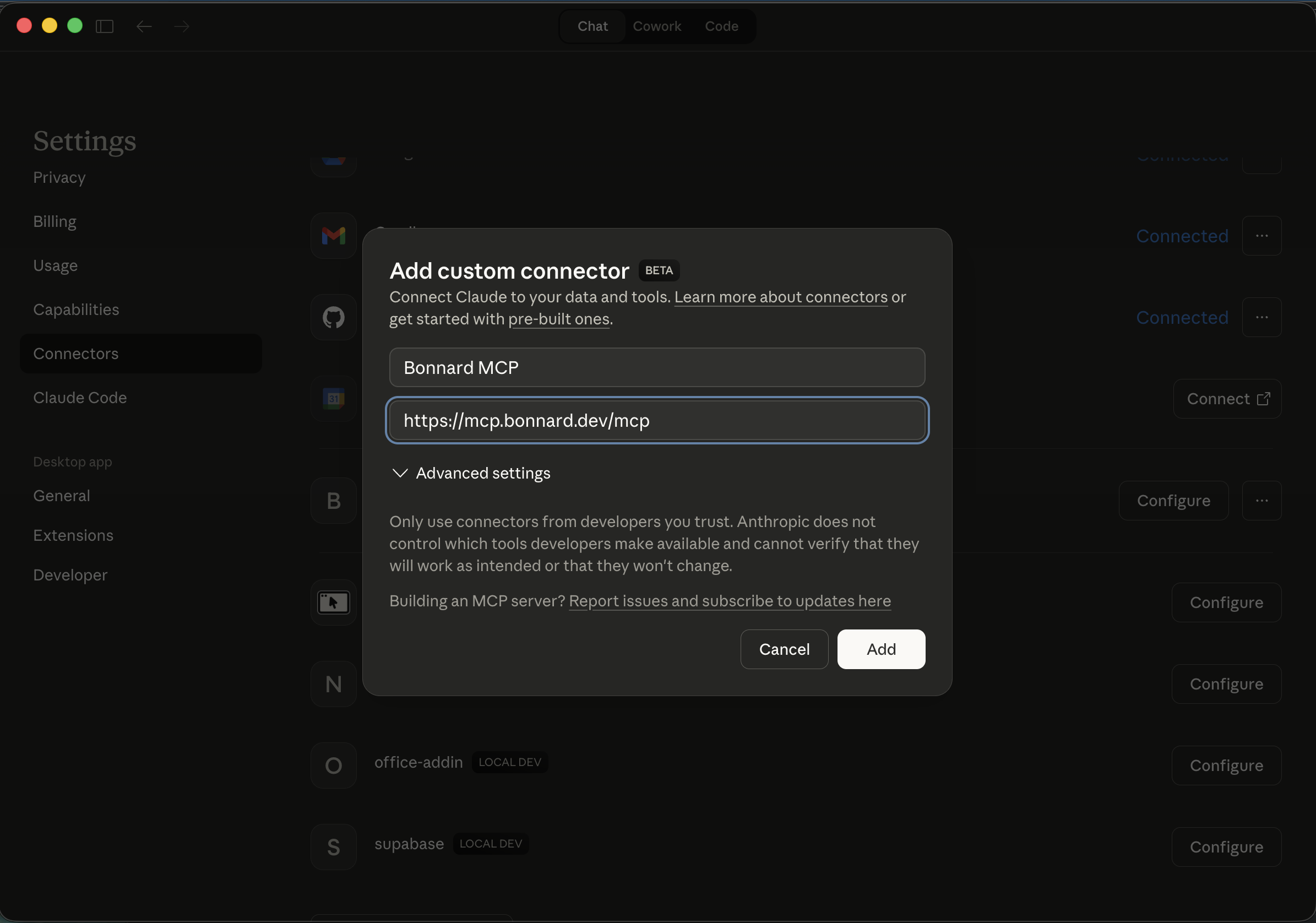
Run bon mcp and you get connection configs for Claude Desktop, Cursor, Claude Code, and CrewAI. Your agent gets four tools: explore_schema to discover available metrics, query to fetch data, sql_query for complex queries, and describe_field for metadata.
For customer-facing use cases, generate publishable keys per tenant. Your customers connect their own AI tools and query their own data, governed by your metric definitions and row-level security.
Embedded Analytics with React
The @bonnard/react SDK ships production-ready chart components: BarChart, LineChart, BigValue, DashboardViewer (embed full markdown dashboards in React), BonnardChart (universal renderer that takes a spec object), and useBonnardQuery. Embed governed analytics directly in your product. Each component queries the semantic layer and respects tenant access controls.
Markdown Dashboards
Author dashboards in markdown. Deploy them alongside your schema with bon deploy. Each tenant gets their own dashboard view with row-level security applied automatically.
TypeScript SDK
The @bonnard/sdk gives you type-safe queries from any JavaScript or TypeScript app. Build internal tools, data pipelines, or custom analytics experiences on top of the same governed definitions.
REST API and SQL Interface
REST for your app. SQL for your internal team. Same governed model, every consumer.
Admin UI and Schema Catalog
Browse deployed models, views, and measures. Inspect field definitions, view change history with diffs, and see exactly what your customers will see before it goes live. List view and graph view of your entire schema.
Multi-Tenancy and Access Control
Row-level security per tenant. Token exchange maps your auth to the security context. Every query is filtered automatically based on who’s asking.
RBAC controls who queries what, with permissions per team, role, and consumer. Audit logging tracks every query by agent, app, or user.
This isn’t bolted on. It’s how Bonnard works from bon init.
Self-Host or Bonnard Cloud
Self-hosted (Apache 2.0): Run the full stack on your infrastructure with Docker Compose. No limits, no license fees. All features included: MCP server, React SDK, markdown dashboards, pre-aggregation caching, CLI tooling.
Bonnard Cloud: Same product, managed infrastructure. Automatic updates, monitoring, zero ops. Start with a 7-day free trial.
Enterprise: Dedicated infrastructure, SSO (SAML/OIDC), SCIM, data residency controls, and custom SLAs.
Forward deployed engineers: If your team needs help shipping, Bonnard engineers work alongside you to get your semantic layer and analytics into production.
Getting Started
npx @bonnard/cli init --self-hosted
docker compose up -d
bon deploy
bon mcp
bon init generates agent configs (rules and skills for Claude Code, Cursor, and Codex) so AI coding assistants understand your semantic layer from the first prompt. Use bon diff to preview changes before deploying, bon schema to explore deployed measures and dimensions, bon pull to download deployed models locally, and bon docs to browse documentation from the CLI.
Supports Snowflake, BigQuery, PostgreSQL (including Supabase, Neon, and RDS), Databricks, Redshift, DuckDB (including MotherDuck), and ClickHouse. Import existing dbt models with bon datasource add --from-dbt.
Read the documentation or view the source on GitHub.
Related reading
- How to Connect an AI Agent to Your Data Warehouse – step-by-step tutorial
- Cube vs dbt Semantic Layer – how Bonnard compares to other metrics layers
- What is MCP? – the protocol that powers agentic data access
FAQ
What’s the difference between agentic analytics and AI analytics?
AI analytics is broad. Agentic analytics specifically means AI agents query governed metrics through a semantic layer, not raw database tables. The governance layer is what makes the answers trustworthy.
Do I need to retrain my AI model?
No. Bonnard works with any LLM. The agent queries the semantic layer via MCP. No fine-tuning, no embeddings, no vector database.
Is Bonnard open source?
The self-hosted server is Apache 2.0 with all features included. The CLI is MIT. Bonnard Cloud adds managed infrastructure on top. See the GitHub repo.
What data warehouses are supported?
Snowflake, BigQuery, PostgreSQL, Databricks, Redshift, DuckDB, ClickHouse, and more. Check the documentation for the full list.
How is this different from text-to-SQL?
Text-to-SQL generates raw SQL from natural language and can produce any query, including wrong ones. Agentic analytics constrains queries to governed definitions, so the answers are always consistent. Your customers get trustworthy numbers, not best guesses. See the text-to-SQL glossary entry for more on the distinction.
How long does it take to set up?
From zero to proof of concept in a week. If you need help, our forward deployed engineers can work alongside your team to ship it.